Introducing asset overview: Find the right assets in seconds, not days
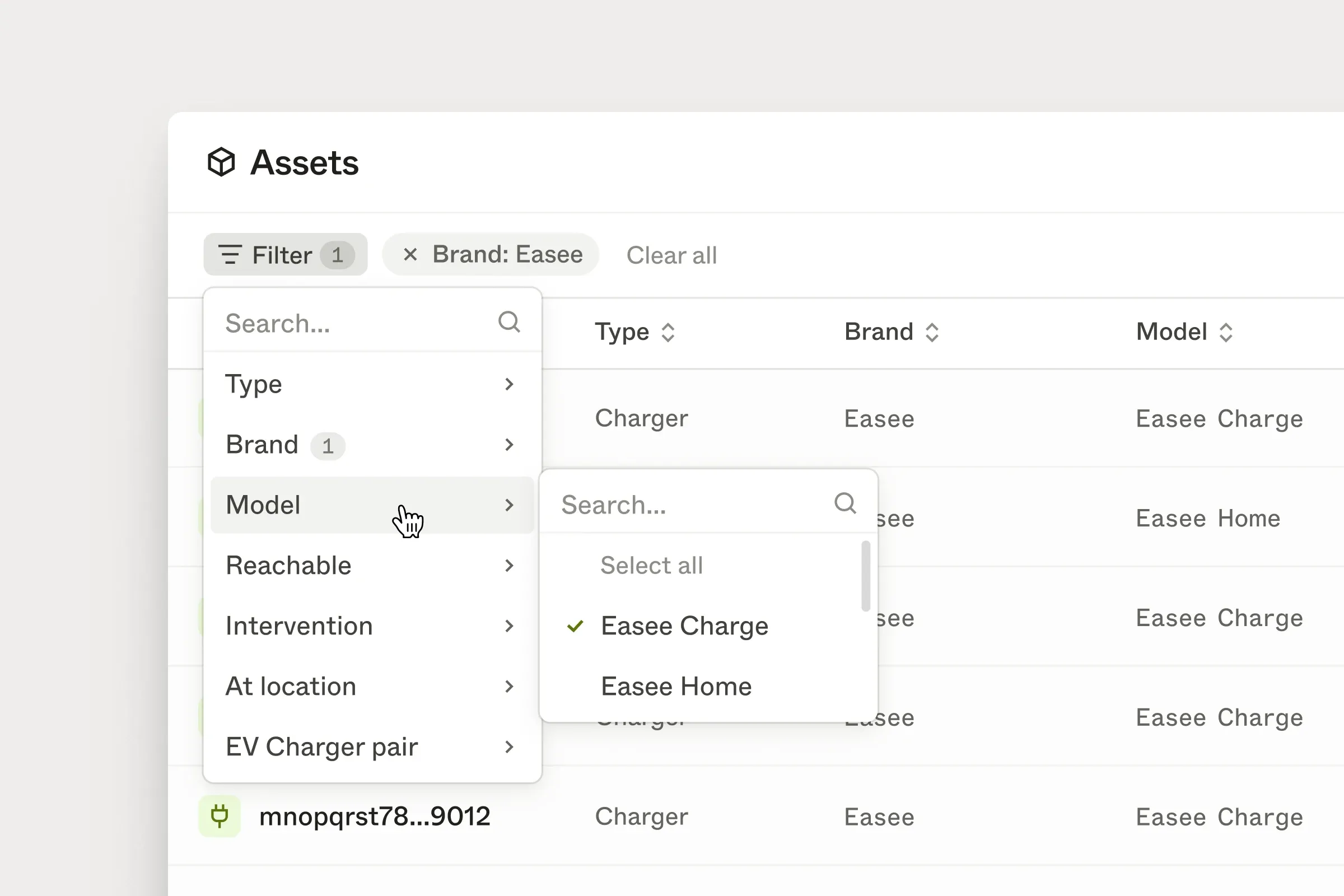
Once your asset base grows, finding the right assets to investigate becomes hard.
A customer asked us a simple question: “Can I get a list of all BMW vehicles with an active intervention? We want to reach out to those users directly.”
It sounds straightforward. But getting to that list meant either querying the data internally or asking our support team to pull it and export it. What should have taken ten seconds took days of back-and-forth.
Asset overview is built for this exact moment.
From questions to assets, faster
Asset overview helps you go from a question to a concrete set of assets in seconds. You can filter across key dimensions like brand, model, connection status, or intervention state.
Select BMW as the brand. Filter to assets with an active intervention. You immediately get a list of every affected vehicle – ready to open individually or export and work with in your own tools.
Save views you can come back to
Once you’ve narrowed things down, save your filters as a view. Use it to track a specific group over time, share context with your team, or pick up an investigation where you left off.
Plug into your existing workflows
Export any filtered segment as CSV – only the fields you need – and continue working in a spreadsheet, BI tool, or internal system.
Available now
Asset overview is now available in the Enode dashboard.
The first version includes filtering, saved views, and export. More advanced investigation tools will follow.